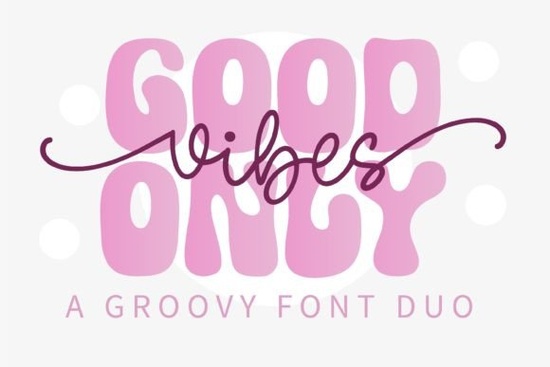
Designing something with a 1970s feel requires the right typography. You need letters that feel warm, wavy, and free-spirited to truly capture that era. That is exactly what the Good Vibes Only Duo Font brings to your toolkit. It combines a sturdy display face with a flowing monoline script, making it easy to create balanced compositions without hunting for two separate files. Whether you are making t-shirts, posters, or social media graphics, this pair helps you achieve a groovy look quickly.
Retro design trends have come back in a big way. People love the nostalgia of the 60s and 70s, especially in fashion and home decor. Using the right typeface is the fastest way to signal that style to your audience. This specific duo gives you a bold header option and a handwritten accent, which is a classic combination for vintage-inspired work. It saves time because the styles are already matched for weight and mood.
What makes this font pair stand out?
The main advantage here is the coordination between the two styles. Often, when you mix a script with a display font, they clash. One might be too thin, or the slant might look wrong. With this package, the designer has already solved those problems. The display font has thick, rounded strokes that feel friendly and approachable. The script complements it with a single-line weight that feels casual and human.
You can use the bold letters for your main message and the script for secondary details like dates or names. This hierarchy makes your designs easier to read. If you want to see more examples of how these letters look in different sizes, you can view the full character set to check the glyphs and alternates. Having access to multiple styles in one download simplifies your workflow significantly.
Where can you use retro typefaces?
These kinds of letters work best in projects that need personality. Print-on-demand sellers often use them for apparel because the thick strokes print well on fabric. Crafters might use them for vinyl cutting machines to make decals for cars or laptops. Small businesses can use them for logos that want to feel local and friendly rather than corporate.
If you are looking for classic retro styles for a broader project, this font fits right in. It works well for coffee shop menus, festival posters, or sticker packs. The key is to keep the layout open. Retro designs often use curved text or arched layouts. This duo supports that kind of manipulation without losing its shape.
For projects that need more color, you might consider pairing this with playful color projects that use similar whimsical energy. The goal is to keep the vibe consistent. If your image is bright and sunny, the text should match that mood. Do not be afraid to add textures like grain or noise to your background to enhance the vintage feel.
How does it compare to other vintage styles?
Not all retro fonts are the same. Some are very sharp and geometric, while others are soft and rounded. This particular set leans towards the soft, hippie aesthetic. If you need something heavier, you might look at bold lettering options that have more weight. However, for a laid-back summer vibe, the monoline script here is hard to beat.
It is also useful for personalization. Many customers want their names on items. The script portion of this duo handles monograms well. If you need more specialized initials, you could explore decorative monograms for a different look. But for standard text overlays, this duo provides enough flair without being too complicated to read.
What files do you get?
When you download this product, you typically receive standard font files like OTF and TTF. These work on both Windows and Mac computers. Some packages also include webfont versions, which allow you to use the typography on your website without slowing it down. Always check the license file included in the zip folder.
Most licenses allow for personal and commercial use, but there may be limits on how many items you can sell. Read the terms carefully before starting a large production run. Installing the fonts is simple. On a PC, you right-click the file and select install. On a Mac, you double-click and use the Font Book. Once installed, they will appear in your design software like Photoshop, Canva, or Illustrator.
Quick tips for using this duo
- Contrast is key: Use the bold display font for the main words and the script for connecting words like "and" or "the".
- Check spacing: Retro fonts often need extra letter spacing to look authentic. Do not keep the kerning too tight.
- Pair with textures: Add a slight noise effect to your text layer to make it look like it was printed on old paper.
- Limit colors: Stick to 2 or 3 colors that fit the 70s palette, like mustard yellow, burnt orange, or olive green.
- Test readability: Show your design to a friend before selling it. If they cannot read it quickly, simplify the layout.
Choosing the right typography sets the tone for your entire project. With a solid duo like this, you have the flexibility to create various looks while maintaining a consistent brand identity. Start by sketching your layout on paper before moving to the computer. This helps you decide where the script should flow and where the bold text needs to anchor the design. Happy creating.
Explore Design Rainbow Darling Duo: Font Pairing Ideas for Creative Designs
 Creative Font Designs for Young Learners
 Font Magic for Retro Design Projects
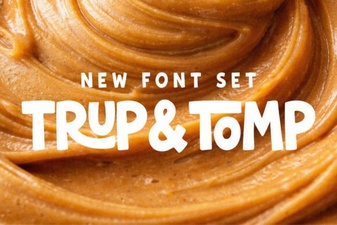 Trup & Tomp Font: Design Tips & Creative Uses
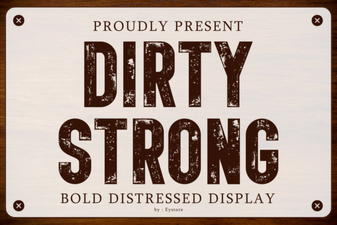 Bold Dirty Fonts for Unforgettable Designs
 Fishtail Monogram Fonts for Elegant Diy Projects