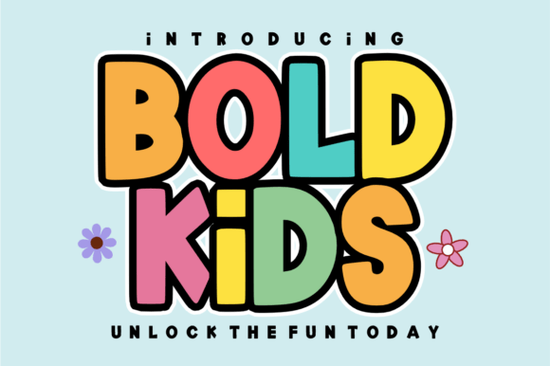
Designing for children requires a specific touch. You need typography that grabs attention but remains easy to read for developing eyes. That is exactly where Bold Kids fits into your workflow. This typeface offers thick, hand-drawn block characters that feel organic rather than rigid. When you are working on projects that need to feel loud and legible, having a font with this kind of personality makes the process much smoother.
Many designers struggle to find display fonts that balance fun with functionality. Often, a font looks playful but fails when resized or cut on a machine. This specific typeface avoids those pitfalls. It is optimized for smooth performance with cutting machines and all major design software. Whether you are creating vibrant posters, adorable kids' apparel, or engaging classroom materials, the structure holds up well under different conditions.
What makes this font suitable for young audiences?
Children respond well to shapes that feel friendly. Sharp edges can sometimes feel too serious or corporate. The slightly organic touch in this font softens the look while keeping the weight heavy enough to stand out on a t-shirt or a wall decal. The "bouncy" nature of the letters adds energy without sacrificing clarity.
Legibility is crucial, especially for educational materials. If you are making alphabet charts or name tags for a classroom, every letter needs to be distinct. This font maintains clear character separation. It avoids overly decorative swashes that might confuse a child learning to read. You get a modern yet whimsical look that appeals to both children and adults who are buying the products.
Where can you apply this typeface?
The versatility of a chunky display font extends beyond just digital screens. Here are a few practical ways to implement it in your business or hobby projects:
- Print on Demand: Use it for t-shirts, hoodies, and tote bags. The thick strokes translate well to vinyl and direct-to-garment printing.
- Classroom Resources: Create worksheets, bulletin board headers, or reward charts that need to look inviting.
- Party Decor: Design birthday invitations, banners, and cupcake toppers that match a fun theme.
- Stickers and Decals: The bold lines work perfectly for die-cut stickers where visibility is key from a distance.
If you enjoy working with Bold Kids for these projects, you likely appreciate fonts that make a statement. However, sometimes a project calls for a different vibe. Maybe you need something more retro or elegant to pair with your main display text.
Exploring complementary font styles
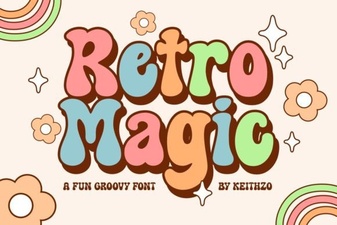
Pairing fonts is an art form. You rarely want to use just one typeface for an entire layout. If you need a secondary font that offers a different texture, consider looking into other display options. For example, if you want a retro feel to contrast with the modern bounce of your main text, you might explore the Creative Vintage Font. It provides a nostalgic touch that works well for themed parties or vintage-style apparel.
For projects that require more color and vibrancy, a duo font can save you time. The Rainbow Darling Duo Font offers built-in variations that can add depth to your headers without needing complex layering in your software. This is particularly useful for social media graphics where you need to work quickly.
Sometimes, you need something more formal for names or monograms within a playful design. The Fishtail Monogram Font provides an elegant script option that contrasts nicely with block letters. This combination works well on personalized items like water bottles or backpacks.
On the other end of the spectrum, if you need a grittier look for older kids or streetwear styles, the Dirty Strong Font offers a rugged alternative. It maintains the bold weight but changes the mood entirely. Having a library of these different styles allows you to say yes to a wider range of client requests.
Technical tips for best results
When preparing files for cutting machines like Cricut or Silhouette, always outline your text. This converts the font into shapes, ensuring the design looks the same on any computer. Check the kerning manually after outlining. Sometimes, specific letter pairs might need slight adjustment to ensure even spacing.
Color choice matters just as much as the font itself. Since the letters are thick, they can handle gradients or patterns inside the text. However, for maximum legibility on apparel, solid high-contrast colors are usually best. Dark text on light fabric or vice versa ensures the message is read instantly.
For more information on typography best practices, you can refer to resources like Google Fonts to study how different weights interact. Understanding the basics of type hierarchy will help you use display fonts more effectively in your layouts.
Quick checklist before you finalize your design
Before you send your work to print or upload it to a marketplace, run through these steps to ensure quality:
- Check Licensing: Verify if your license covers commercial use for the number of items you plan to sell.
- Test Readability: Step back from your screen or print a test sheet. Can you read it from three feet away?
- Outline Paths: Ensure all text is converted to paths to avoid missing font errors.
- Contrast Check: Make sure the text color stands out clearly against the background material.
- File Formats: Save versions in PNG for web use and SVG or EPS for cutting machines.
Choosing the right typography sets the tone for your entire project. With a versatile tool like this, you can create designs that feel professional yet full of joy. Start experimenting with different pairings and colors to see what resonates best with your audience.
Get Started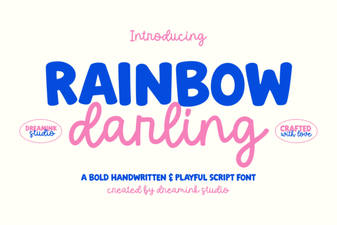 Rainbow Darling Duo: Font Pairing Ideas for Creative Designs
 Font Magic for Retro Design Projects
 Trup & Tomp Font: Design Tips & Creative Uses
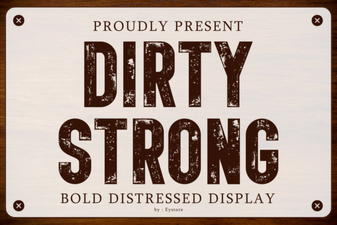 Bold Dirty Fonts for Unforgettable Designs
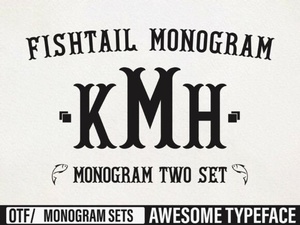 Fishtail Monogram Fonts for Elegant Diy Projects
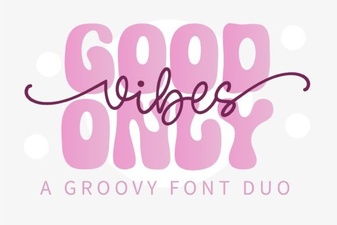 Good Vibes Duo Font for Creative Projects